From 2e22fda019fc559ac7604c5d5188e74f25d32718 Mon Sep 17 00:00:00 2001
From: Matthias an der Ruhr <135343836+Matthias-adR@users.noreply.github.com>
Date: Sun, 19 Oct 2025 17:56:08 +0200
Subject: Update README.md (#145)
Fix formatting of text under dropdowns (image previews; hyperlinks)
---
README.md | 20 ++++++++++----------
1 file changed, 10 insertions(+), 10 deletions(-)
diff --git a/README.md b/README.md
index e890f6a..b062592 100644
--- a/README.md
+++ b/README.md
@@ -62,10 +62,10 @@ Next, you need to add the key to GitHub. This makes use of GitHub's secret signi
Using the Github Web Interface (preferred)
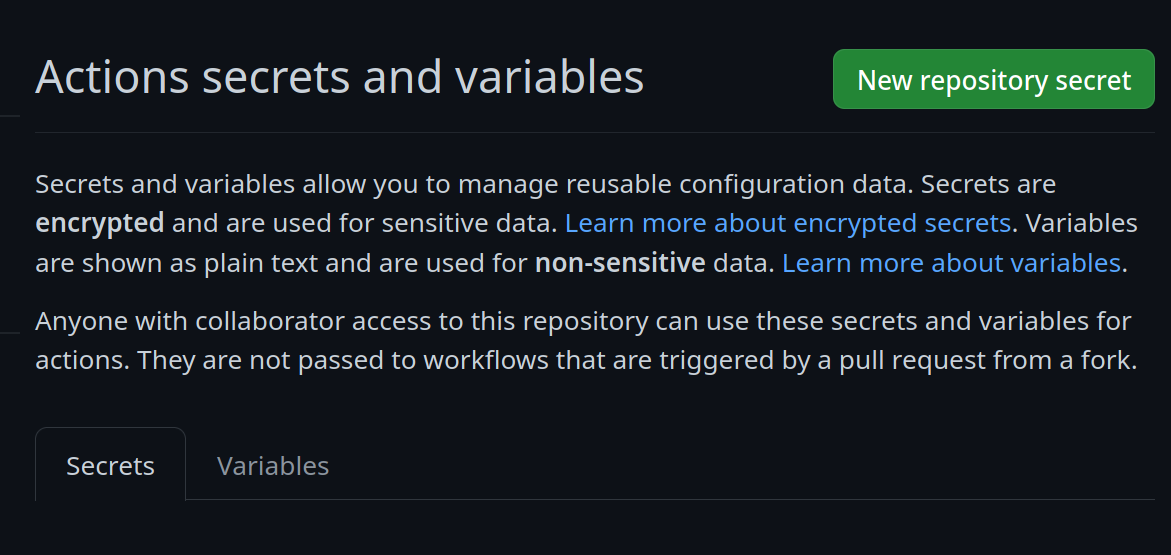
- Go to your repository settings, under `Secrets and Variables` -> `Actions`
- 
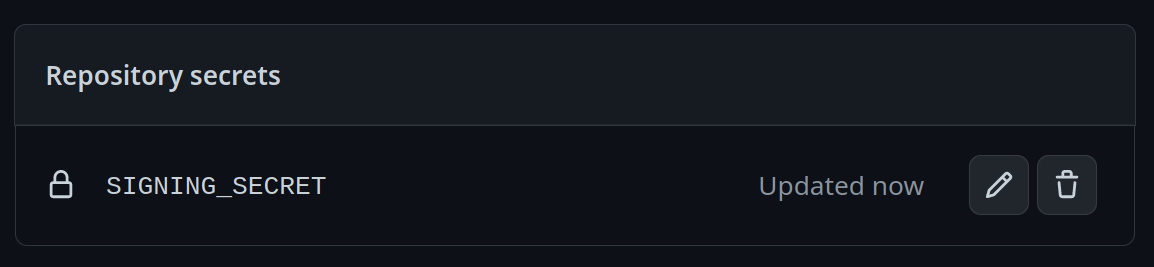
- Add a new secret and name it `SIGNING_SECRET`, then paste the contents of `cosign.key` into the secret and save it. Make sure it's the .key file and not the .pub file. Once done, it should look like this:
- 
+Go to your repository settings, under `Secrets and Variables` -> `Actions`
+
+Add a new secret and name it `SIGNING_SECRET`, then paste the contents of `cosign.key` into the secret and save it. Make sure it's the .key file and not the .pub file. Once done, it should look like this:
+
Using the Github CLI
@@ -85,13 +85,13 @@ For a base image, you can choose any of the Universal Blue images or start from
Base Images
- - Bazzite: `ghcr.io/ublue-os/bazzite:stable`
- - Aurora: `ghcr.io/ublue-os/aurora:stable`
- - Bluefin: `ghcr.io/ublue-os/bluefin:stable`
- - Universal Blue Base: `ghcr.io/ublue-os/base-main:latest`
- - Fedora: `quay.io/fedora/fedora-bootc:42`
+- Bazzite: `ghcr.io/ublue-os/bazzite:stable`
+- Aurora: `ghcr.io/ublue-os/aurora:stable`
+- Bluefin: `ghcr.io/ublue-os/bluefin:stable`
+- Universal Blue Base: `ghcr.io/ublue-os/base-main:latest`
+- Fedora: `quay.io/fedora/fedora-bootc:42`
- You can find more Universal Blue images on the [packages page](https://github.com/orgs/ublue-os/packages).
+You can find more Universal Blue images on the [packages page](https://github.com/orgs/ublue-os/packages).
If you don't know which image to pick, choosing the one your system is currently on is the best bet for a smooth transition. To find out what image your system currently uses, run the following command:
--
cgit v1.2.3