
diff options
Diffstat (limited to 'README.md')
| -rw-r--r-- | README.md | 20 |
1 files changed, 10 insertions, 10 deletions
@@ -62,10 +62,10 @@ Next, you need to add the key to GitHub. This makes use of GitHub's secret signi <details> <summary>Using the Github Web Interface (preferred)</summary> - Go to your repository settings, under `Secrets and Variables` -> `Actions` - 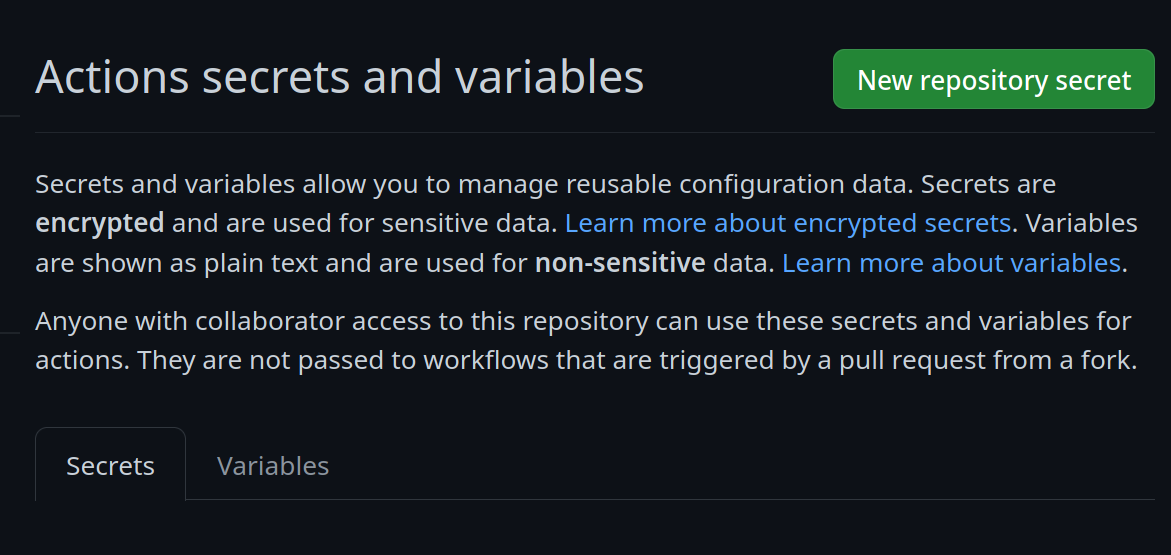 - Add a new secret and name it `SIGNING_SECRET`, then paste the contents of `cosign.key` into the secret and save it. Make sure it's the .key file and not the .pub file. Once done, it should look like this: -  +Go to your repository settings, under `Secrets and Variables` -> `Actions` + +Add a new secret and name it `SIGNING_SECRET`, then paste the contents of `cosign.key` into the secret and save it. Make sure it's the .key file and not the .pub file. Once done, it should look like this: + </details> <details> <summary>Using the Github CLI</summary> @@ -85,13 +85,13 @@ For a base image, you can choose any of the Universal Blue images or start from <details> <summary>Base Images</summary> - - Bazzite: `ghcr.io/ublue-os/bazzite:stable` - - Aurora: `ghcr.io/ublue-os/aurora:stable` - - Bluefin: `ghcr.io/ublue-os/bluefin:stable` - - Universal Blue Base: `ghcr.io/ublue-os/base-main:latest` - - Fedora: `quay.io/fedora/fedora-bootc:42` +- Bazzite: `ghcr.io/ublue-os/bazzite:stable` +- Aurora: `ghcr.io/ublue-os/aurora:stable` +- Bluefin: `ghcr.io/ublue-os/bluefin:stable` +- Universal Blue Base: `ghcr.io/ublue-os/base-main:latest` +- Fedora: `quay.io/fedora/fedora-bootc:42` - You can find more Universal Blue images on the [packages page](https://github.com/orgs/ublue-os/packages). +You can find more Universal Blue images on the [packages page](https://github.com/orgs/ublue-os/packages). </details> If you don't know which image to pick, choosing the one your system is currently on is the best bet for a smooth transition. To find out what image your system currently uses, run the following command: |